





OPPO A55 4G LCD Screen Replacement | CPH2325 | OEM
OPPO A55 4G LCD Screen Replacement | CPH2325 | OEM
 In Stock
Regular price
NZ$22.99
Regular price
Sale price
NZ$22.99
Unit price
per
inc GST


OPPO A55 4G LCD Screen Replacement | CPH2325 | OEM
OPPO A55 4G LCD Screen Replacement | CPH2325 | OEM
In Stock
Regular price
NZ$22.99
Regular price
Sale price
NZ$22.99
Unit price
per
inc GST
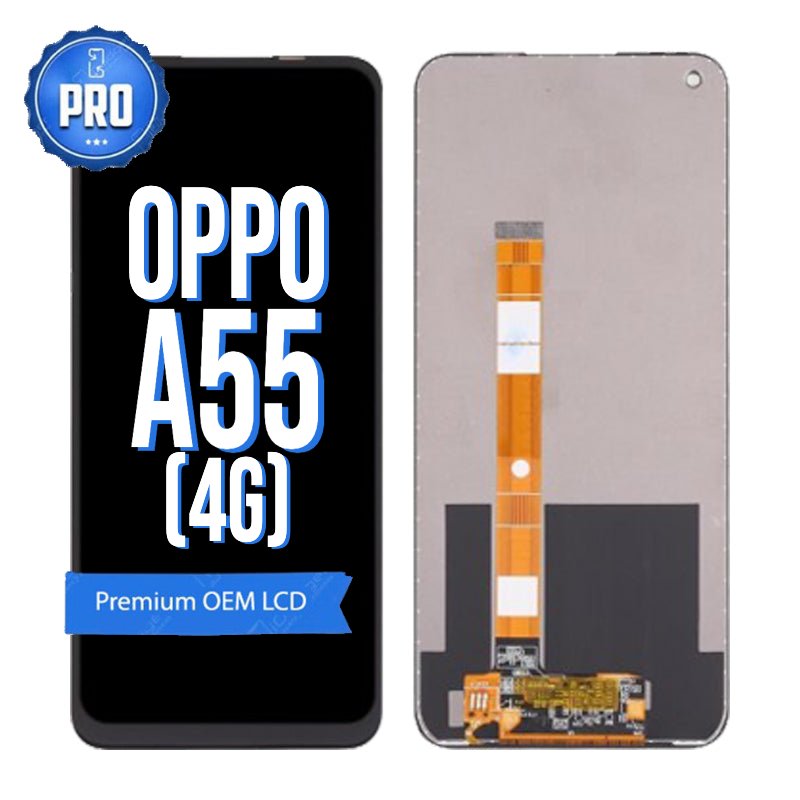
- OEM LCD and touch digitiser assembly, complete panel ready to fit
- Fixes a cracked screen, black or flickering display and unresponsive touch
- 6.51 inch IPS LCD, 720 x 1600, 60Hz, matching the original
- Compatible with OPPO A55 4G, model CPH2325
Frequently Bought Together
Frequently Bought Together


Product Details
This premium OEM screen replacement kit is the ideal way to replace your OPPO A55 4G screen.
Why get yours?
- High strength glass. The screen uses high grade glass, with a scratch and damage resistant Oleophobic coating which provides protection against daily use of the phones.
- Precise cutouts. The dimensions, brackets, frame and cutouts of this screen are designed to fit perfectly.
- High resolution image. A high-end, LCD display makes your phone more vivid, and more realistic.
- 12 Month Warranty
With fast delivery, good quality, and reasonable price, order this item now without hesitation!
Please Note
Not confirmed to fit the OPPO A55 5G (PEMM00) or A56 (PFVM10). Check in Settings, About phone for your model.
Please Note
This screen is assembled by a third party manufacturer and therefore is not an Official Oppo product
Please Note
Don't peel off the protective film or any stickers until you've tested the new screen and it's working properly.
Specifications
- Screen Type: OEM LCD
- Display Size: 6.51"
- Resolution: 720 x 1600 pixels
- Refresh Rate: 60Hz
- Panel: IPS LCD
- Colours: Black
- Glass Rating: 9H
- Warranty: 12 Months
Compatible Model Numbers
 Oppo A55 4G
Model Number
- CPH2325
Installation Help

Check out the video above for assistance with this repair

Here are some tools you may need to help you complete the repair.
- #000 1.5mm Metal Phillips Screwdriver Tool (PH000)
- 5x iGadget Plastic Flexible Opening Cards
- iGadget 5 piece opening picks
- CPB 320 Repair Heat Pad
- uFix iOpener Heat Bag
- Dottorpod iPlastix Opening Tool
- Black Spudger
- Fine Tipped Curved Tweezers
- B7000 Repair Glue
- Dust Free Cleaning Cloths

Here are some helpful tips to assist you in completing a safe repair on your device. If you are unsure of something or have any questions, please feel free to contact us either by phone (0508 IGADGET) or by email
- Drain the battery below 25% before you start on this repair
- Always power down your device prior to working on it
- Always track your screws to avoid putting back in the wrong place and damaging your device. You can draw a picture of your phone and tape the screws to the right places or use a screw mat
- This screen is the LCD panel only. Your existing frame is reused, so the old screen has to be separated from the frame.
- The back cover is plastic. Work it off with opening picks or an opening card around the edge; suction openers like the iSclack need a solid or glass back to grip and are not suited to this phone.
- Make sure you always unplug the battery before attempting any component removal
- Warm the screen with a heat pad or iOpener in short bursts to soften the adhesive. Too much heat damages the LCD and the battery.
- Use plastic tools between the screen and the frame. Metal tools can crack the LCD backlight or cut the flex cable.
- Connect and test the new screen before gluing it in. Don't peel off the protective film or any stickers until it's working properly.
- Clean every trace of old adhesive off the frame with isopropyl alcohol so the new screen sits flat, then glue the new screen in with B7000 and hold it in place with rubber bands or tape until the glue has set.
What’s In The Box
- 1x OPPO A55 4G LCD Screen Replacement


