





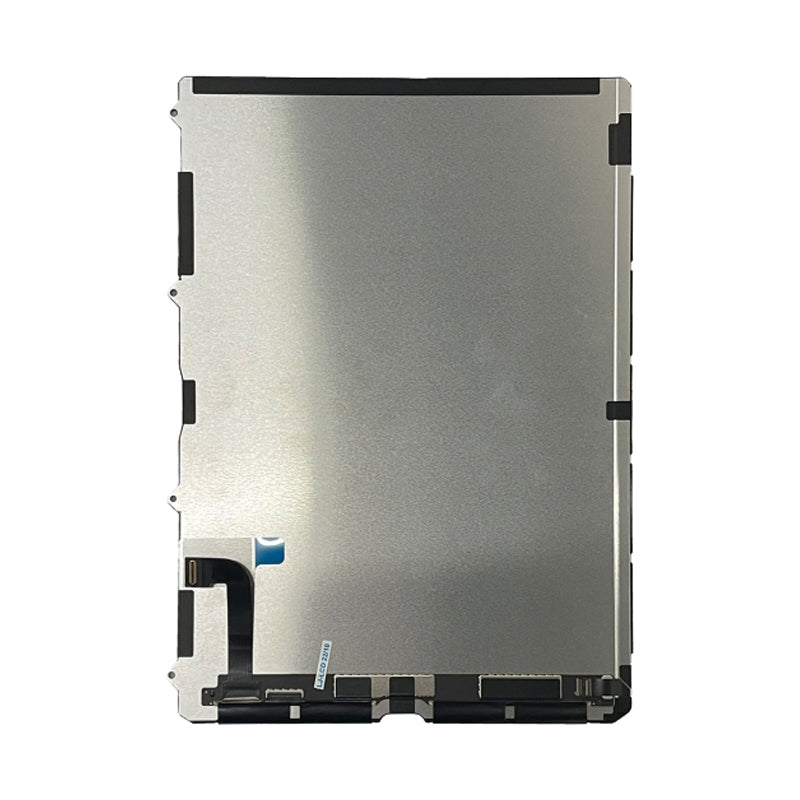
iPad 10 and iPad 11 LCD Replacement
iPad 10 and iPad 11 LCD Replacement
 In Stock
Regular price
NZ$199.99
Regular price
Sale price
NZ$199.99
Unit price
per
inc GST


iPad 10 and iPad 11 LCD Replacement
iPad 10 and iPad 11 LCD Replacement
In Stock
Regular price
NZ$199.99
Regular price
Sale price
NZ$199.99
Unit price
per
inc GST
- Replacement LCD screen
- 1620 x 2360 pixel resolution
- Compatible with iPad 10 (A1395, A2777 & A3162)& iPad 11 (A3355, A3356 & A3354)
Frequently Bought Together

Frequently Bought Together


Product Details
If your LCD has lines, dead pixels, colour bleeds distortion or verticial lines on your iPad 10 (A1395, A2777 & A3162) & iPad 11 (A3355, A3356 & A3354)then you'll need a new LCD
Part Includes:
- LCD Replacement
- 12 Month Warranty
Please Note
This part will either be brand new or an OEM Used Genuine Apple replacement
Specifications
- Display Size: 10.9-inch (diagonal) widescreen
- LCD Resolution: 1620 x 2360 pixels
- Refresh Rate: 60Hz
- Pixel Density: 264 pixels per inch (ppi)
- Type: LCD replacement
- Warranty: 12 Months
How do I find my Model number?
 iPad 10 Wifi
iPad 10 Wifi + Cellular
iPad 11 Wifi
iPad 11 Wifi + Cellular
Compatible Model Numbers
iPad 10 WifiModel Number (A Number)
- A2696
 iPad 10 Wifi Model NumbersHow do I find my Model number?
Model Identifier
- iPad13,18
EMC Number
- EMC 8137
Device Number (M Number)
- MPQ03
- MPQ83
- MPQ23
- MPQA3
- MPQ13
- MPQ93
- MPQ33
More info Less info
iPad 10 Wifi + CellularModel Number (A Number)
- A2757
- A2777
iPad 10 Wifi + Cell Model NumbersHow do I find my Model number?
Model Identifier
- iPad13,19
EMC Number
- EMC 2499
- EMC 2578
Device Number (M Number)
- MQ6J3
- MQ6T3
- MQ6L3
- MQ6V3
- MQ6K3
- MQ6U3
- MQ6M3
- MQ6W3
- MQ6X3
- MQ783
- MQ6Y3
- MQ703
- MQ773
- MQ713
- MQ793
More info Less info
iPad 11 WifiModel Number (A Number)
- A3354
iPad 11 Model NumbersHow do I find my Model number?
Model Identifier
- iPad15,7
EMC Number
- EMC 8805
Device Number (M Number)
- MD3Y4
- MD4G4
- MD4Q4
- MD4D4
- MD4J4
- MD5A4
- MD4A4
- MD4H4
- MD4Y4
- MD4E4
- MD4P4
- MD5C4
More info Less info
iPad 11 Wifi + CellularModel Number (A Number)
- A3355
- A3356
iPad 11 Wifi + Cell Model NumbersHow do I find my Model number?
Model Identifier
- iPad15,8
EMC Number
- EMC 8806
Device Number (M Number)
- MD7F4
- MD7K4
- MD7P4
- MD7H4
- MD7M4
- MD7R4
- MD7G4
- MD7L4
- MD7Q4
- MD7J4
- MD7N4
- MD7U4
- MD7Y4
- MD8D4
- MD7W4
- MD8A4
- MD8E4
- MDAJ4
More info Less info
Installation Help

Checkout the step-by-step guide below for assistance in completing this repair
iFixit iPad 10 LCD Replacement Guide

Here are some tools you may need to help you complete the repair.
- Phillips #00 Screwdriver
- Suction Cup
- TESA Tape
- Fine Tipped Curved Tweezers
- iGadget 5 piece opening picks
- Black Spudger
- iPlastix Opening Tool by Dottorpod
- iFlex Metal Opening Tool by Dottorpod
- uFix iOpener Heat bag
- iHold Evo Screen Holder
- S-160 Antistatic Heat Resistant Repair Mat

Here are some helpful tips to assist you in completing a safe repair on your device. If you are unsure of something or have any questions, please feel free to contact us either by phone (0508 IGADGET) or by email
- Always track your screws to avoid putting back in the wrong place and damaging your device. You can draw a picture of your phone and tape the screws to the right places or use a screw mat
- Always power down your device prior to working on it
- Make sure you always unplug the battery before attempting any component removal
- If your iPad does not turn on or show an image after your repair, you may need to perform a force restart. To do this, press and hold the power button and home button until the apple logo appears onscreen.
- Be careful when separating the glass from the frame around the home button. On either side, the glass is stuck to the Wifi antenna, use a plastic tool such as the iPlastix around this area
What’s In The Box
- 1x iPad 10 and 11 Replacement LCD Screen


