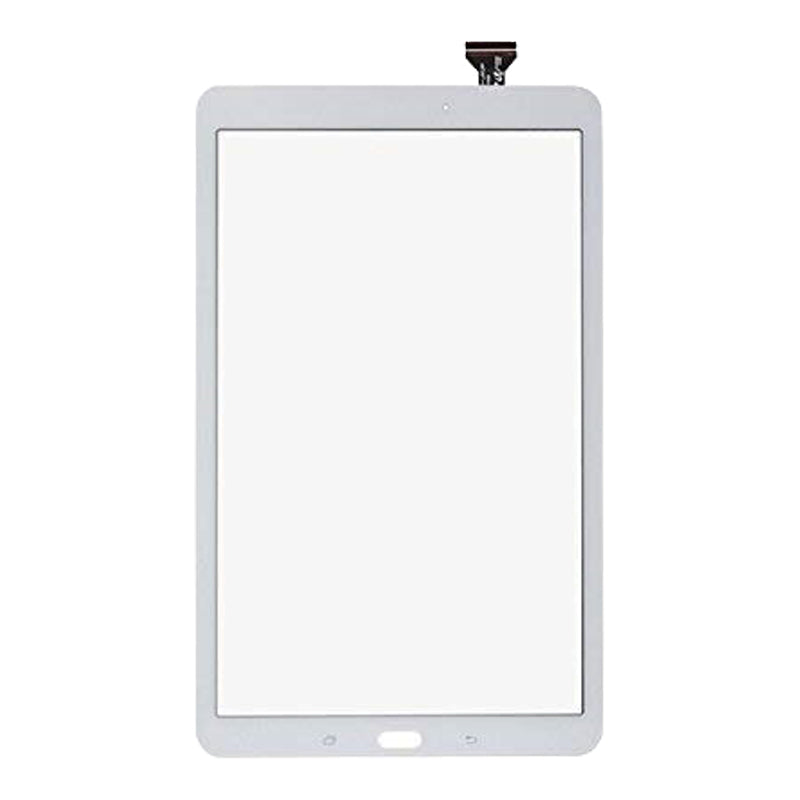
Samsung Tab E 9.6 Screen Glass and Digitiser Replacement | Touch Glass Only (SM-T560, T561)

Samsung Tab E 9.6 Screen Glass and Digitiser Replacement | Touch Glass Only (SM-T560, T561)

SGTAB-T560-01-BLK In Stock
Regular price NZ$29.99
Regular price Sale price NZ$29.99
Sale Sold out
inc GST

4 xNZ$0.00

Skip to product information

Samsung Tab E 9.6 Screen Glass and Digitiser Replacement | Touch Glass Only (SM-T560, T561)

Samsung Tab E 9.6 Screen Glass and Digitiser Replacement | Touch Glass Only (SM-T560, T561)

SGTAB-T560-01-BLK In Stock
Regular price NZ$29.99
Regular price Sale price NZ$29.99
Sale Sold out
inc GST
Or Weekly Interest Free Payments of

4 x NZ$7.49

DIY DIFFICULTY ModerateAbout 30 minutes to 1 hour

The glass is taped to the frame over the LCD and lifts off from the front. The LCD lifts out to reach the glass flex.

  • Samsung Galaxy Tab E 9.6 replacement touch screen glass and digitiser, in black or white
  • Fixes cracked or scratched front glass and touch not responding, while your own LCD is reused
  • Compatible with Samsung Galaxy Tab E 9.6 Wi-Fi and 3G models; SM-T560, SM-T560NU, SM-T561
Colour:
Black
White
Regular price NZ$29.99
Regular price Sale price NZ$29.99

Dispatches next business day straight from our NZ warehouse

Frequently Bought Together

iPhone 6s Battery Replacement | 1715mAh | Premium Zero-Cycle

iPhone 6s Battery Replacement | 1715mAh | Premium Zero-Cycle

IPH6S-15

NZ$15.99
Choose Default:
MacBook Air 13" A1466 / A1369 Battery Replacement (A1496) 2010-2017

MacBook Air 13" A1466 / A1369 Battery Replacement (A1496) 2010-2017

MBAIR-A1466-15-A1496

NZ$69.99
Choose Default:
P5 Metal Pentalobe 1.2mm Screwdriver Tool

P5 Metal Pentalobe 1.2mm Screwdriver Tool

IG-DRIV-P5

NZ$7.99
Choose Default:
iPhone 7 Battery Replacement | 1960mAh | Premium Zero-Cycle

iPhone 7 Battery Replacement | 1960mAh | Premium Zero-Cycle

IPH7-15

NZ$16.99
Choose Default:
8 Piece iPhone Repair Toolkit - Suitable for 7-16 Series

8 Piece iPhone Repair Toolkit - Suitable for 7-16 Series

IG-IPH7-TOOL-8P

NZ$19.99
Choose Default:
View full details

Frequently Bought Together

iPhone 6s Battery Replacement | 1715mAh | Premium Zero-Cycle

iPhone 6s Battery Replacement | 1715mAh | Premium Zero-Cycle

IPH6S-15

NZ$15.99
Choose Default:
MacBook Air 13" A1466 / A1369 Battery Replacement (A1496) 2010-2017

MacBook Air 13" A1466 / A1369 Battery Replacement (A1496) 2010-2017

MBAIR-A1466-15-A1496

NZ$69.99
Choose Default:
P5 Metal Pentalobe 1.2mm Screwdriver Tool

P5 Metal Pentalobe 1.2mm Screwdriver Tool

IG-DRIV-P5

NZ$7.99
Choose Default:
iPhone 7 Battery Replacement | 1960mAh | Premium Zero-Cycle

iPhone 7 Battery Replacement | 1960mAh | Premium Zero-Cycle

IPH7-15

NZ$16.99
Choose Default:
8 Piece iPhone Repair Toolkit - Suitable for 7-16 Series

8 Piece iPhone Repair Toolkit - Suitable for 7-16 Series

IG-IPH7-TOOL-8P

NZ$19.99
Choose Default:

Product Details

iGadget PRO Samsung tablet glass and digitiser banner: glass and touch only, reuse your working LCD

Cracked the front glass on your Samsung Galaxy Tab E 9.6, or has touch stopped responding while the picture still looks fine? This is the replacement touch screen glass and digitiser for the SM-T560 (Wi-Fi), SM-T560NU and SM-T561 (3G); your own LCD is reused and is not included.

Got the Tab A 9.7 (SM-T550)? This is the glass for it.


  • GLASS AND TOUCH ONLY, KEEP YOUR LCD - Replaces just the cracked front glass and the touch layer bonded to it, so a tablet whose display still works keeps its own LCD.
  • TOUGH ALUMINOSILICATE GLASS - High quality aluminosilicate cover glass that resists scratches and everyday knocks.
  • RESPONSIVE TOUCH - The touch digitiser reacts to your fingertips just as it should.
  • BLACK OR WHITE - Choose the front colour that matches your tablet.
  • SENT FROM NZ STOCK - Shipped from our New Zealand stock, so there's no waiting weeks for a part to arrive from overseas.


Part Includes:

  • Samsung Galaxy Tab E 9.6 touch glass and digitiser (LCD not included)
  • 12 Month Warranty


Please Note

This is the glass and touch digitiser only, not the LCD: if your display shows lines, black patches or no picture you need an LCD.

Please Note

Does NOT fit the 8 inch Tab E (SM-T377, T375) or the Tab A 9.7 (SM-T550, T555). Check in Settings, About tablet for your model.

Specifications

  • Type: Glass and Digitiser (touch glass only)
  • Screen Size: 9.6 inches
  • Fits Display: 9.6" 800 x 1280 IPS LCD (your own LCD is reused, not included)
  • Connections: Touch flex only (no camera, no LCD)
  • Colours: Black or White
  • LCD: Not included
  • Warranty: 12 Months

Compatible Model Numbers

Samsung Galaxy Tab E 9.6 Samsung Galaxy Tab E 9.6
Model Number (SM Number)
  • SM-T560
  • SM-T560NU
  • SM-T561

Installation Help

installation guide

Follow the step by step guide below for assistance with this repair

iFixit Samsung Galaxy Tab E 9.6 Wi-Fi Digitiser Replacement Guide


helpful tips

Here are some helpful tips to assist you in completing a safe repair on your device. If you are unsure of something or have any questions, please feel free to contact us either by phone (0508 IGADGET) or by email

  • Drain the battery below 25% before you start on this repair
  • Power the tablet off and take out the microSD card (and the SIM card on the SM-T561) before you start.
  • The glass is held to the frame by double-sided tape and comes off from the front. Warm the edges with the iOpener in short bursts, as too much heat can damage the battery and LCD. Lift a corner with the suction cup if the glass is still in one piece and work picks and cards around, no more than 2 to 3mm in, so you don't scratch or crack the LCD underneath, which you reuse.
  • Lay the glass flat above the tablet, still on its flex, then lift the LCD out of the frame with a card to reach the connectors underneath.
  • Always track your screws (Phillips #00) so they go back in the right place. Draw a picture of your tablet and tape the screws to it, or use a screw mat
  • Always unplug the battery before you remove any other parts. Keep metal tools away from the battery, and never bend, crush or puncture it.
  • Unplug the glass (digitiser) flex with the spudger and note how it is routed.
  • Clean the old adhesive off the frame with isopropyl alcohol, and keep dust and fingerprints off the LCD before the new glass goes on.
  • Connect the new glass flex, plug the battery back in and set the LCD back in the frame.
  • Test touch across the whole screen before you seal it in, and leave the protective film and stickers on until the new glass is working properly.
  • The new glass has no adhesive fitted. Once touch is tested, run a strip of 2mm Tesa tape around the frame, then press the glass down evenly so it sits flat.

What’s In The Box

  • 1x Samsung Galaxy Tab E 9.6 Glass and Digitiser Replacement
Customer Reviews
0.0 Be the first to review this item
0% 
0% 
0% 
0% 
0%