


Sold Out


Sold Out

Sold Out


You have unsaved items in your cart.
If you wish to save them for a future transaction, please save your cart items by clicking here.
 In Stock

 In Stock
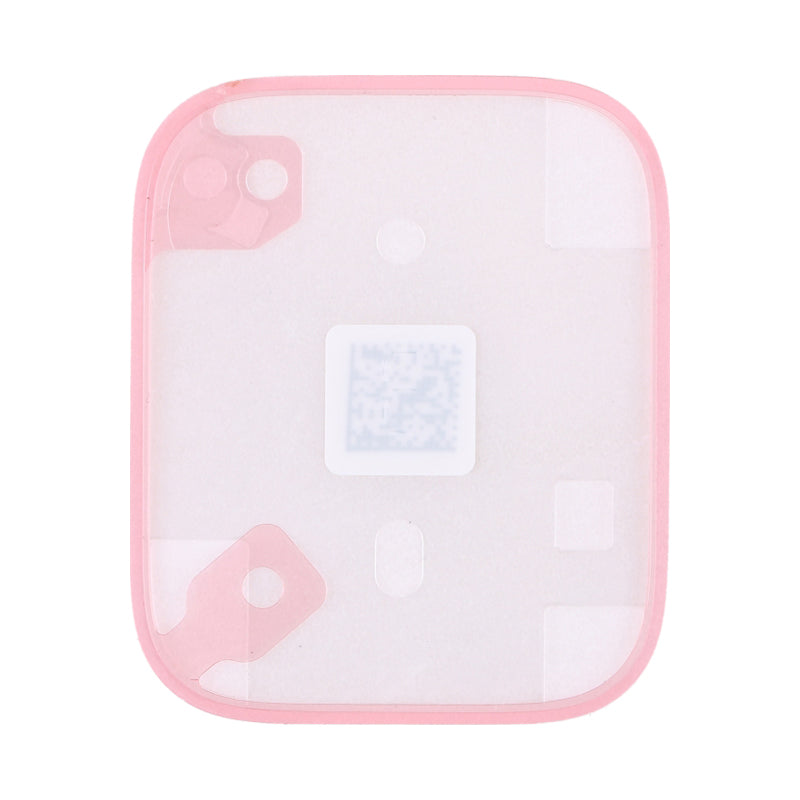
When working on the inside of your 41mm Apple Watch Series 7 and 8 models, it is easy to cut or damage the waterproof seal when attempting to remove the screen. No need to cut and shape new adhesive to fit the frame, it is precut to size!
This Apple Watch waterproof seal is not compatible with the 45mm version of the Series 7 and 8 Apple Watch
 Apple Watch Series 7 GPS 41mm
 Series 7 41mm Model NumbersHow do I find my Model number? Apple Watch Series 7 GPS + Cellular 41mm Series 7 41mm Model NumbersHow do I find my Model number? Apple
Watch Series 8 GPS 41mm Series 8 41mm Model
NumbersHow do I find my Model number? Apple Watch Series 8 GPS + Cellular 41mm Series 8 41mm Model
NumbersHow do I find my Model number?
Series 7 41mm Model NumbersHow do I find my Model number? Apple Watch Series 7 GPS + Cellular 41mm Series 7 41mm Model NumbersHow do I find my Model number? Apple
Watch Series 8 GPS 41mm Series 8 41mm Model
NumbersHow do I find my Model number? Apple Watch Series 8 GPS + Cellular 41mm Series 8 41mm Model
NumbersHow do I find my Model number?
Here are some tools you may need to help you complete the repair.

Here are some helpful tips to assist you in completing a safe repair on your device. If you are unsure of something or have any questions, please feel free to contact us either by phone (0508 IGADGET) or by email
If the battery in your device is swollen or damaged during repair, take the proper precautions

Go to Settings > General > About. To the right of "Model Number", you can see the Device Number (M number). To see the the Model Number (A number) tap on the device number.

Find the serial number, EMC number and model number printed on the underside of your Mac near the regulatory markings. It's also on the original packaging next to a barcode label. EMC is the most accurate number to compare with our list as it takes into account the year of your device.
The original packaging might also show an Apple part number such as MNYF2xx/A ("xx/A" is a variable that differs by country or region and is not included on our list so can be disregarded)."

Go to Apple icon > About this Mac > System Report. It will automatically be selected on the hardware tab (left side). To the right, the model name and model identifier will be written on the first two lines."


To find out what model watch you have, turn your watch on
