





MacBook Pro 13" Retina A1425 I/O Board Flex Cable | USB, HDMI and SD Card Port Cable (Late 2012-Early 2013)
MacBook Pro 13" Retina A1425 I/O Board Flex Cable | USB, HDMI and SD Card Port Cable (Late 2012-Early 2013)
 In Stock
Regular price
NZ$29.99
Regular price
Sale price
NZ$29.99
Unit price
per
inc GST
 Ships today


MacBook Pro 13" Retina A1425 I/O Board Flex Cable | USB, HDMI and SD Card Port Cable (Late 2012-Early 2013)
MacBook Pro 13" Retina A1425 I/O Board Flex Cable | USB, HDMI and SD Card Port Cable (Late 2012-Early 2013)
In Stock
Regular price
NZ$29.99
Regular price
Sale price
NZ$29.99
Unit price
per
inc GST
DIY DIFFICULTY
EasyAbout 15 to 30 minutes
Only the bottom case comes off. The battery is disconnected at its connector board.
- Replacement I/O board data flex cable, printed 821-1587-A
- Fixes right-side USB, HDMI and SD card ports that all stopped working together
- Compatible with MacBook Pro Retina 13" A1425 (Late 2012, Early 2013)
Frequently Bought Together


Frequently Bought Together


Product Details
Have the USB port, HDMI port and SD card slot on the right side of your MacBook Pro 13" Retina all stopped working at once? They sit on the right I/O board, which joins the logic board through this thin flex cable. A torn or damaged cable cuts off all three, so it is a cheap first thing to replace.
This cable fits the 13-inch Retina MacBook Pro A1425 from Late 2012 and Early 2013.
Part Includes:
- 1x I/O board data flex cable
- 12 Month Warranty
Please Note
Does NOT fit the 13" Retina A1502 (Late 2013 to Early 2015), which uses a different cable. Check the A-number on the bottom case.
Please Note
This is the cable only. The ports themselves are on the right I/O board.
Please Note
Only the bottom case comes off, but the battery is disconnected by unscrewing its connector board.
Specifications
- Part Type: I/O board data flex cable
- Printed Part Number: 821-1587-A
- Service Part Number: 923-0223
- Connects: Right I/O board to logic board
- Condition: Brand new or A-grade genuine Apple part
- Warranty: 12 Months
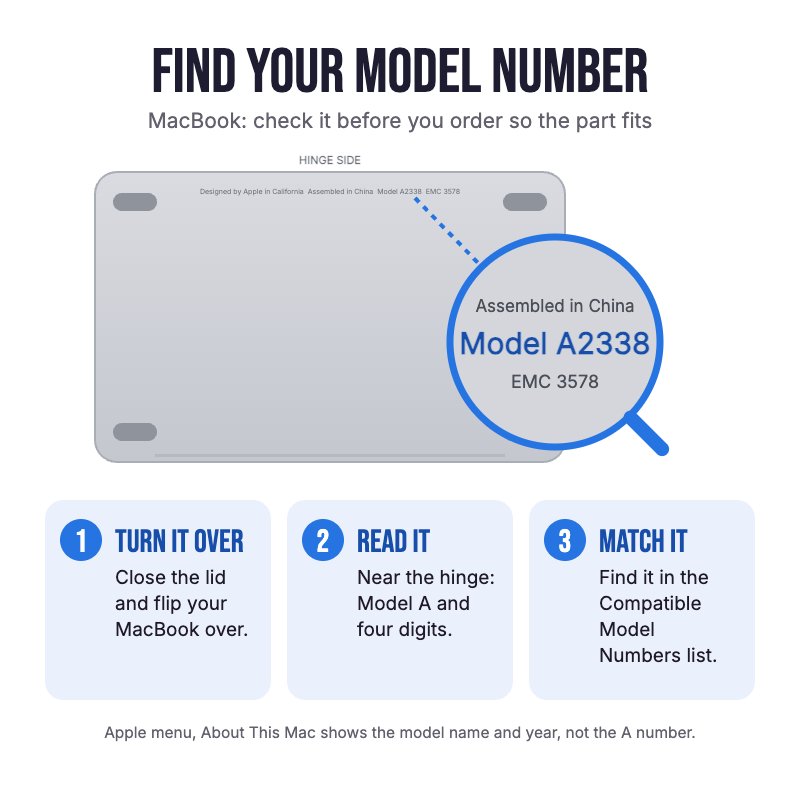
How do I find my Model number?
 MacBook Pro Retina 13" Early 2013
MacBook Pro Retina 13" Late 2012
Compatible Model Numbers
MacBook Pro Retina 13" Early 2013Model Number (A Number)
- A1425
EMC Number
- EMC 2672
 MacBook Pro Retina 13" Early 2013 How do I find my Model number?
Model Identifier
- MacBookPro10,2
Device Number (M Number)
- ME662
- MD212
More info Less info
MacBook Pro Retina 13" Late 2012Model Number (A Number)
- A1425
EMC Number
- EMC 2557
MacBook Pro Retina 13" Late 2012 How do I find my Model number?
Model Identifier
- MacBookPro10,2
Device Number (M Number)
- MD212
- MD213
- ME116
More info Less info
Installation Help

Follow the step by step guides below for assistance with this repair
iFixit MacBook Pro 13" Retina Early 2013 I/O Board Data Cable Replacement Guide
iFixit MacBook Pro 13" Retina Late 2012 I/O Board Data Cable Replacement Guide

Here are some tools you may need to help you complete the repair.
- P5 Metal Pentalobe 1.2mm Screwdriver Tool
- T6 Metal Torx Screwdriver Tool
- Mechanic AK-15 King ESD Anti-Static Stainless Steel Red Curved Tweezers
- Nylon Antistatic Spudger Pry Tool
- iGadget Universal Magnetic Work Project Mat with Marker (30cm x 25cm)

Here are some helpful tips to assist you in completing a safe repair on your device. If you are unsure of something or have any questions, please feel free to contact us either by phone (0508 IGADGET) or by email
- Always power down your device prior to working on it
- The 10 P5 bottom case screws are two lengths. Track your screws on a magnetic work mat or tape them to a drawing of your laptop, as several screws look alike but are different lengths
- To disconnect the battery, remove the T6 screws from the battery connector board, raise it slightly and lift out the small interposer with tweezers. Don't fold the board right over
- Pry on the cable connector with a spudger, never on the socket. A socket lifted off the I/O board cannot be fixed
- Check the old cable is printed 821-1587-A. The A1502 cable (821-1790-A) looks similar but will not fit
What’s In The Box
- 1x MacBook Pro 13" Retina A1425 I/O Board Flex Cable (Late 2012-Early 2013)


