





Samsung A02s Screen Replacement | OEM LCD with Middle Frame (SM-A025F)
Samsung A02s Screen Replacement | OEM LCD with Middle Frame (SM-A025F)
 In Stock
Added to your cart
Finish the job properly
ⓘ Add-on savings can't be combined with discount codes.
 Ships today
✔ In stock
Fast dispatch. Overnight courier to metro NZ.

 12 month warranty


Samsung A02s Screen Replacement | OEM LCD with Middle Frame (SM-A025F)
Samsung A02s Screen Replacement | OEM LCD with Middle Frame (SM-A025F)
In Stock
Added to your cart
Finish the job properly
ⓘ Add-on savings can't be combined with discount codes.
Plastic back comes off first. The board, sub-board and glued battery move to the new frame.
Watch the install video- Samsung Galaxy A02s screen replacement: premium OEM LCD and digitiser with the middle frame pre-installed
- Fixes a cracked screen, black display, lines or touch not responding
- Compatible with Samsung Galaxy A02s models; SM-A025F, SM-A025F/DS, SM-A025M, SM-A025M/DS
Things you may need for this repair


Things you may need for this repair


Product Details

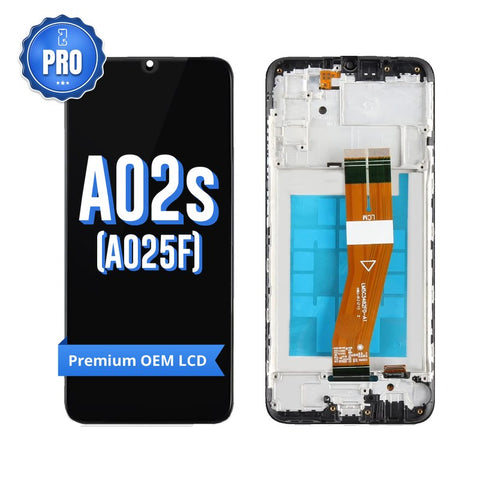
Cracked your Samsung A02s screen, or is the display black, showing lines, or no longer responding to touch? This Galaxy A02s screen replacement is a premium OEM LCD and digitiser with the middle frame already fitted, made for the SM-A025F, the A02s model sold in New Zealand.
Got the A02s SM-A025G? This is the screen for it. Got the A02 (SM-A022F or SM-A022G)? This is the screen for it. Got the A03s (SM-A037F or SM-A037G)? This is the screen for it.
- FRAME PRE-INSTALLED, LESS RISK - The middle frame comes fitted, so there's no heating and prying a glued screen off your old frame, the step where most DIY screen repairs go wrong.
- MATCHES THE ORIGINAL - The A02s came with an LCD, and this OEM LCD has the same 6.5" size and 720 x 1600 resolution, so it looks and works like the screen you had.
- TOUGH, SMUDGE RESISTANT GLASS - High grade glass with an oleophobic coating, so it stands up to everyday scratches and wipes clean of fingerprints.
- PRECISE FIT - The frame, cutouts, brackets and screw points are the SM-A025F layout, so the screen sits flush and your phone closes up properly.
- SENT FROM NZ STOCK - Shipped from our New Zealand stock, so there's no waiting weeks for a part to arrive from overseas.
Part Includes:
- Samsung Galaxy A02s (SM-A025F) OEM LCD and digitiser
- Middle frame (pre-installed)
- 12 Month Warranty
Please Note
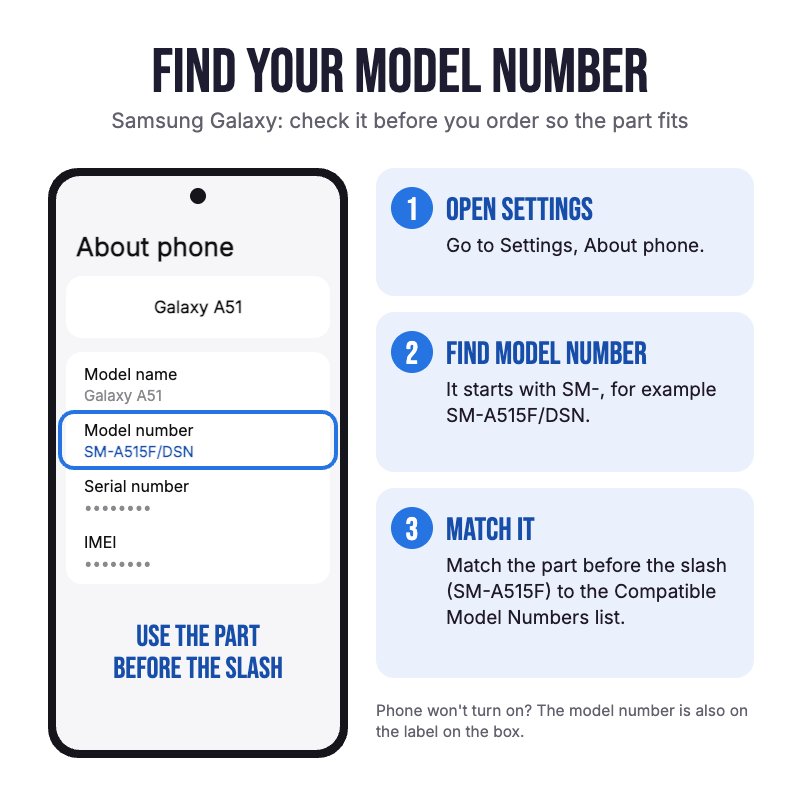
Does NOT fit the SM-A025G or the US models (SM-A025U, A025A, A025V), as their frame is a different shape with the screw holes in different places. Check in Settings, About phone for your model.
Please Note
Your board, sub-board and battery move across to the new frame. The battery is not included.
Please Note
Assembled by a third party manufacturer, so it is not an official Samsung part.
Specifications
- Screen Type: OEM LCD
- Display Size: 6.5"
- Resolution: 720 x 1600 pixels
- Compatible Models: SM-A025F, SM-A025M
- Colours: Black
- Middle Frame: Pre-installed
- Battery: Not included
- Warranty: 12 Months
Compatible Model Numbers
 Samsung Galaxy A02s
Model Number (SM Number)
- SM-A025F
- SM-A025F/DS
- SM-A025M
- SM-A025M/DS
Installation Help

Check out the video above for assistance with this repair

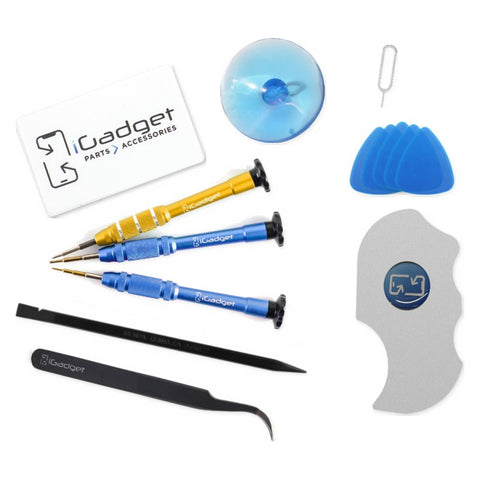
Here are some tools you may need to help you complete the repair.
- #00 Metal Phillips 2.0mm Screwdriver Tool (PH00)
- Or get the #00 screwdriver and a pry card together in our 10 Piece Samsung, Android and iPad Repair Tool Kit
- iGadget 5 piece opening picks
- 5x iGadget Plastic Flexible Opening Cards
- Nylon Antistatic Spudger Pry Tool
- Box of Isopropyl Adhesive Cleaning Alcohol Pad Wipes x100
A discounted simple toolset with the tools you need is available in a pop-up when you add this product to cart

Here are some helpful tips to assist you in completing a safe repair on your device. If you are unsure of something or have any questions, please feel free to contact us either by phone (0508 IGADGET) or by email
- Check your model is SM-A025F or SM-A025M in Settings, About phone before you start. The SM-A025G frame looks similar but is a different shape.
- Drain the battery below 25% before you start on this repair
- Power the phone off and take out the SIM tray before you open it.
- The plastic back cover clips on, with no adhesive to heat. Start at the gap by the SIM tray and work a pick around the edge to release the clips one at a time, no more than 3 to 5mm in, taking care past the side buttons, or you can cut the antenna, side key or camera cables.
- Always track your screws (Phillips #00) so they go back in the right place. Draw a picture of your phone and tape the screws to it, or use a screw mat
- Always unplug the battery before you remove any other parts. Keep metal tools away from the battery, and never bend, crush or puncture it.
- Move the motherboard, sub-board, cameras and flex cables from your old frame into the new one, unplugging each cable with the spudger. The battery is not included and is glued in: loosen its adhesive with isopropyl alcohol and lift it slowly with a plastic card, never prying against the cell, or fit a new battery.
- Test the display, touch, cameras and calls before you close the phone up, and leave the protective film and stickers on until the new screen is working properly.
- Press the back cover down all the way round until every clip clicks in, so it sits flat.
What’s In The Box
- 1x Samsung Galaxy A02s (SM-A025F) OEM LCD Screen Replacement with Middle Frame
Things you may need for this repair


