





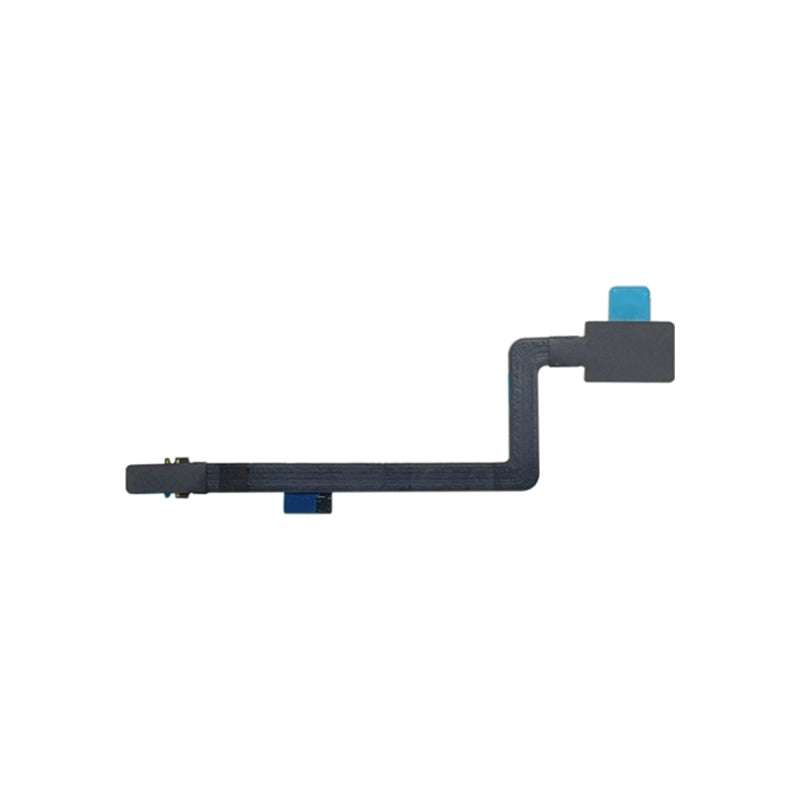
MacBook Pro 16" A2485/A2780/A2991 Battery Connect Flex Cable (2021-2023)
MacBook Pro 16" A2485/A2780/A2991 Battery Connect Flex Cable (2021-2023)
 In Stock
Regular price
NZ$18.99
Regular price
Sale price
NZ$18.99
Unit price
per
inc GST
✔ In stock
Fast dispatch. Overnight courier to metro NZ.

 12 month warranty


MacBook Pro 16" A2485/A2780/A2991 Battery Connect Flex Cable (2021-2023)
MacBook Pro 16" A2485/A2780/A2991 Battery Connect Flex Cable (2021-2023)
In Stock
Regular price
NZ$18.99
Regular price
Sale price
NZ$18.99
Unit price
per
inc GST
- Replacement Lithium Ion Battery Connect Flex Cable
- Suits MacBook Pro 16" A2485/A2780/A2991 (2021-Late 2023)
Things you may need for this repair

This item

ToolsTools
Total
ⓘ Add-on savings can't be combined with discount codes.
Things you may need for this repair
This item
ToolsTools
Total
ⓘ Add-on savings can't be combined with discount codes.


Product Details
This MacBook Pro 16" (2021-Late 2023) replacement battery flex cable is what you need to bring your dead MacBook Pro to life!
Part Includes:
- Replacement Battery Connect Flex Cable
- 12 Month Warranty
Please Note
This part will either be brand new or a used Genuine Apple replacement
Specifications
- Battery Type: Li-Polymer
- Warranty: 12 Months
How do I find my Model number?
 MacBook Pro 16" Early 2023
 MacBook Pro 16" Late 2023
 MacBook Pro 16" 2021
Compatible Model Numbers
MacBook Pro 16" Early 2023Model Number (A Number)
- A2780
EMC Number
- EMC 8103
 MacBook Pro 16" 2020 How do I find my Model number?
Model Identifier
- Mac14,10
- Mac14,6
Device Number (M Number)
- MNW83
- MNWC3
- MNW93
- MNWD3
- MNWA3
- MNWE3
More info Less info
MacBook Pro 16" Late 2023Model Number (A Number)
- A2991
EMC Number
- EMC 8408
MacBook Pro 16" 2020 How do I find my Model number?
Model Identifier
- Mac15,7
- Mac15,11
- Mac15,9
Device Number (M Number)
- MRW13
- MRW43
- MRW23
- MRW63
- MRW33
- MRW73
- MUW63
- MUW73
More info Less info
MacBook Pro 16" 2021Model Number (A Number)
- A2485
EMC Number
- EMC 3651
MacBook Pro 13" 2020 How do I find my Model number?
Model Identifier
- MacBookPro18,1
- MacBookPro18,2
Device Number (M Number)
- MK183
- MK193
- MK1A3
- MK1E3
- MK1F3
- MK1H3
More info Less info
Installation Help

Here are some tools you may need to help you complete the repair.
- T5 TorxScrewdriver
- T3 Torx Screwdriver
- T8 Torx Screwdriver
- P2 Pentalobe Screwdriver
- P5 Pentalobe Screwdriver
- iSesamo opening tool
- Fine Tipped Curved Tweezers
- Black Spudger

Here are some helpful tips to assist you in completing a safe repair on your device. If you are unsure of something or have any questions, please feel free to contact us either by phone (0508 IGADGET) or by email
- Drain the battery below 25% before you start on this repair. A charged lithium-ion battery can catch fire or explode if punctured or damaged
- Always track your screws to avoid putting back in the wrong place and damaging your device. You can draw a picture of your laptop and tape the screws to the right places or use a screw mat
- Always power down your device prior to working on it
- Make sure you always unplug the battery before attempting any component removal
- If your newly installed battery is draining fast or shutting off randomly, first try the battery calibration steps found here. Apple silicon Macs have no SMC reset - shut down, wait 30 seconds and restart
What’s In The Box
- 1x MacBook Pro 16" A2485/A2780/A2991 Battery Connect Flex Cable
Things you may need for this repair
This item
ToolsTools
Total
ⓘ Add-on savings can't be combined with discount codes.


