





Samsung Galaxy S26 Ultra Back Glass Replacement with Camera Lens
Samsung Galaxy S26 Ultra Back Glass Replacement with Camera Lens
 In Stock
Added to your cart
Finish the job properly
ⓘ Add-on savings can't be combined with discount codes.

 12 month warranty


Samsung Galaxy S26 Ultra Back Glass Replacement with Camera Lens
Samsung Galaxy S26 Ultra Back Glass Replacement with Camera Lens
In Stock
Added to your cart
Finish the job properly
ⓘ Add-on savings can't be combined with discount codes.
Glued back glass comes off with heat and picks. The camera lens comes fitted, so nothing moves across.
Watch the install video- Replacement back glass (back cover) for the Samsung Galaxy S26 Ultra, with the camera lens glass and bezel fitted and pre-cut adhesive
- Fixes cracked, shattered or broken back glass and a smashed rear camera lens cover
- Compatible with Samsung Galaxy S26 Ultra models: SM-S948B, SM-S948B/DS, SM-S948U, SM-S948U1, SM-S948W, SM-S948N, SM-S9480, SM-S948E & SM-S948E/DS
Things you may need for this repair


Things you may need for this repair


Product Details
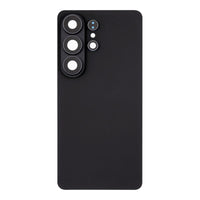
Cracked or shattered the back of your Samsung Galaxy S26 Ultra? This back glass replacement (also called the back cover or rear glass) comes with the rear camera lens glass and its bezel already fitted, so a broken camera lens cover is replaced in the same job and the back of your phone looks new again.
Part Includes:
- Back glass (rear cover)
- Rear camera lens glass with bezel, pre-installed
- Pre-cut back cover adhesive
- 12 Month Warranty
Please Note
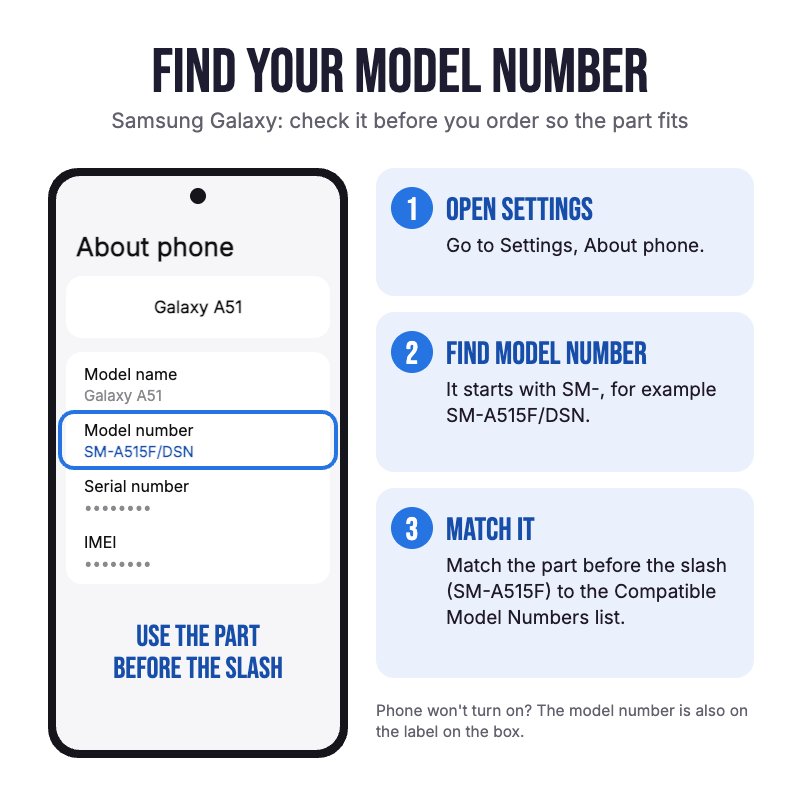
Only fits the Samsung Galaxy S26 Ultra (SM-S948). It does NOT fit the Galaxy S26, S26 Plus, S26 FE or the S25 Ultra. Check in Settings, About phone for your model number.
Please Note
The camera lens glass and bezel come pre-installed in the back glass, so there's no separate lens to buy or glue in.
Please Note
Aftermarket back glass, not an official Samsung part. The colour and finish can differ slightly from the original, and water resistance can't be guaranteed once the back has been opened.
Specifications
- Type: Back glass with camera lens
- Camera Lens: Included, pre-installed with bezel
- Adhesive: Included, pre-cut
- Colours: Black, White, Cobalt Violet, Sky Blue, Silver Shadow, Pink Gold
- Fits: Samsung Galaxy S26 Ultra (SM-S948)
- Condition: Brand new, aftermarket
- Warranty: 12 Months
Compatible Model Numbers
 Samsung Galaxy S26 Ultra
Model Number (SM Number)
- SM-S948B
- SM-S948B/DS
- SM-S948U
- SM-S948U1
- SM-S948W
- SM-S948N
- SM-S9480
- SM-S948E
- SM-S948E/DS
Installation Help

Check out the video above for assistance with this repair

Here are some tools you may need to help you complete the repair.
- uFix iOpener Heat Bag
- Suction Cup
- iGadget 5 piece opening picks
- 5x iGadget Plastic Flexible Opening Cards
- Fine Tipped Curved Tweezers
- Isopropyl Adhesive Cleaning Alcohol Pad Wipes
- Heat Gun or hair dryer

Here are some helpful tips to assist you in completing a safe repair on your device. If you are unsure of something or have any questions, please feel free to contact us either by phone (0508 IGADGET) or by email
- Always power down your device prior to working on it
- Take the S Pen out before you start, so it isn't damaged while the back is heated, opened and clamped.
- If the old back is shattered, cover it with packing tape first so the suction cup can grip and the broken glass stays together.
- The back glass is glued on. Warm each edge in short bursts, lift it with the suction cup and slice the adhesive with opening picks. Do not overheat the phone, as heat damages the screen and the battery.
- Only push an opening pick a few millimetres past the edge, especially near the cameras. The wireless charging and NFC coil sits right under the glass and is easily cut.
- Keep metal tools away from the battery, and never bend, crush or puncture it.
- Clean every bit of old adhesive off the frame with isopropyl alcohol before fitting the new back, or it won't sit flat or bond properly.
- Line up the camera cut-out first, then press the new back down. Warm it gently and clamp or hold it for a few minutes for a strong bond.
- Opening the phone breaks the factory seal, so water resistance can't be guaranteed after this repair.
What’s In The Box
- 1x Samsung Galaxy S26 Ultra Back Glass with Camera Lens
Things you may need for this repair


