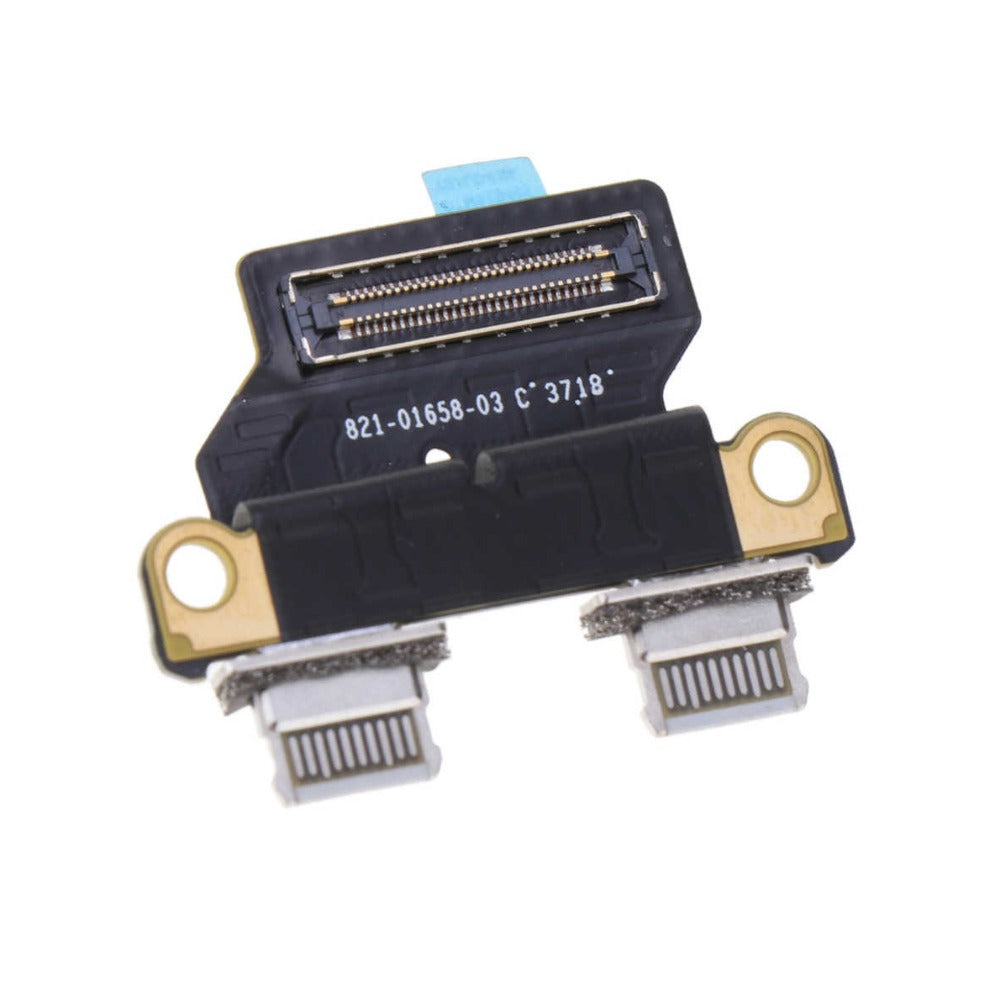
MacBook Air 13" A1932/ A2179/ A2337 Retina DC-in Power Jack USB-C Board Charger Port (2018-2020)

MacBook Air 13" A1932/ A2179/ A2337 Retina DC-in Power Jack USB-C Board Charger Port (2018-2020)

3 reviews
MBAIR-A1932-19
Regular price NZ$12.99
Regular price Sale price NZ$12.99
Sale Sold out
Email me when back in stock
inc GST
Skip to product information

MacBook Air 13" A1932/ A2179/ A2337 Retina DC-in Power Jack USB-C Board Charger Port (2018-2020)

MacBook Air 13" A1932/ A2179/ A2337 Retina DC-in Power Jack USB-C Board Charger Port (2018-2020)

3 reviews
MBAIR-A1932-19
Regular price NZ$12.99
Regular price Sale price NZ$12.99
Sale Sold out
inc GST
Email me when back in stock
  • Replacement USB-C I/O power board
  • Suits MacBook Air 13" A1932 (2018-2019), A2179 (Early 2020), A2337 (Late 2020)
  • P/N: 820-01161, 821-01658
Regular price NZ$12.99
Regular price Sale price NZ$12.99

Dispatches next business day straight from our NZ warehouse

Frequently Bought Together

P5 Metal Pentalobe 1.2mm Screwdriver Tool

P5 Metal Pentalobe 1.2mm Screwdriver Tool

IG-DRIV-P5

NZ$7.99
Choose Default:
S-160 Blue Anti-Static iPhone/iPad/Mobile Phone Repair Heat Resistant Work Mat (45cm x 30cm)

S-160 Blue Anti-Static iPhone/iPad/Mobile Phone Repair Heat Resistant Work Mat (45cm x 30cm)

IG-MAT-S160

NZ$22.99
Choose Default:
#00 Metal Phillips 2.0mm Screwdriver Tool (PH00)

#00 Metal Phillips 2.0mm Screwdriver Tool (PH00)

IG-DRIV-PH00

NZ$7.99
Choose Default:
ESD Anti-Static Stainless Steel Curved Tweezers | ESD 15

ESD Anti-Static Stainless Steel Curved Tweezers | ESD 15

IG-TWEEZ-CUR

NZ$6.99
Choose Default:
iPhone 6s Battery Replacement | Premium Quality

iPhone 6s Battery Replacement | Premium Quality

IPH6S-15

NZ$15.99
Choose Default:
View full details

Frequently Bought Together

iSesamo Metal Pry Bar Opening Tool with Mini Tool by Dottorpod

iSesamo Metal Pry Bar Opening Tool with Mini Tool by Dottorpod

DP-ISESAMO

NZ$16.99
Choose Default:
iPhone 6s Battery Replacement | Premium Quality

iPhone 6s Battery Replacement | Premium Quality

IPH6S-15

NZ$15.99
Choose Default:
MacBook Air 13" A1466 / A1369 Battery Replacement (A1496) 2010-2017

MacBook Air 13" A1466 / A1369 Battery Replacement (A1496) 2010-2017

MBAIR-A1466-15-A1496

NZ$69.99
Choose Default:
iPhone 7 Battery Replacement | Premium Quality

iPhone 7 Battery Replacement | Premium Quality

IPH7-15

NZ$16.99
Choose Default:
8 Piece iPhone Repair Toolkit - Suitable for 7-16 Series

8 Piece iPhone Repair Toolkit - Suitable for 7-16 Series

IG-IPH7-TOOL-8P

NZ$19.99
Choose Default:

Product Details

Replace broken or damaged USB Type C Ports for your 2018 to 2020 MacBook Air Retina laptop with this part. This part includes two USB-C ports that are capable of charging your device


Part Includes:

  • 2x USB Type C ports
  • 12 Month Warranty


Note

This part will either be brand new or an A-Grade Used Genuine Apple replacement

Specifications

  • Compatible Part Numbers: 820-01161, 821-01658
  • Part Type: DC-In USB C ports
  • Connection: FPC connector
  • Warranty: 12 Months
How do I find my Model number?

Compatible Model Numbers

MacBook Air A2179 MacBook Air 13" 2020
Model Number (A Number)
  • A2179
EMC Number
  • EMC 3302

Part number icon MacBook Air 13" 2020 How do I find my Model number?

Model Identifier
  • MacBookAir9,1
Device Number (M Number)
  • MVH22
  • MVH42
  • MVH52
  • MWTJ2
  • MWTK2
  • MWTL2
* Please note, to make searching the device number (M Number) easier, we have only listed the part numbers (First 5 characters), we have removed the region numbers as there is no difference in parts. For example, if "M Number" is "MC922LL/A". we remove the "region" portion and everything after (the "LL/A" at the end) leaving us with "MC922".
More info Less info
MacBook Air A2179 MacBook Air M1 13" Late 2020
Model Number (A Number)
  • A2337
EMC Number
  • EMC 3598

Part number icon MacBook Air M1 13" 2020 How do I find my Model number?

Model Identifier
  • MacBookAir10,1
Device Number (M Number)
  • MGN53
  • MGN63
  • MGN73
  • MGN83
  • MGN93
  • MGNA3
  • MGND3
  • MGNE3
* Please note, to make searching the device number (M Number) easier, we have only listed the part numbers (First 5 characters), we have removed the region numbers as there is no difference in parts. For example, if "M Number" is "MC922LL/A". we remove the "region" portion and everything after (the "LL/A" at the end) leaving us with "MC922".
More info Less info
MacBook Air A1932 MacBook Air 13" 2019
Model Number (A Number)
  • A1932
EMC Number
  • EMC 3184

Part number icon MacBook Air 13" 2019 How do I find my Model number?

Model Identifier
  • MacBookAir8,2
Device Number (M Number)
  • MVFH2
  • MVFJ2
  • MVFK2
  • MVFL2
  • MVFM2
  • MVFN2
* Please note, to make searching the device number (M Number) easier, we have only listed the part numbers (First 5 characters), we have removed the region numbers as there is no difference in parts. For example, if "M Number" is "MC922LL/A". we remove the "region" portion and everything after (the "LL/A" at the end) leaving us with "MC922".
More info Less info
MacBook Air A1932 MacBook Air 13" 2018
Model Number (A Number)
  • A1932
EMC Number
  • EMC 3184

Part number icon MacBook Air 13" 2018 How do I find my Model number?

Model Identifier
  • MacBookAir8,1
Device Number (M Number)
  • MRE82
  • MRE92
  • MREA2
  • MREC2
  • MREE2
  • MREF2
* Please note, to make searching the device number (M Number) easier, we have only listed the part numbers (First 5 characters), we have removed the region numbers as there is no difference in parts. For example, if "M Number" is "MC922LL/A". we remove the "region" portion and everything after (the "LL/A" at the end) leaving us with "MC922".
More info Less info

Installation Help

zero cycle

Checkout the video above or step-by-step guide below for assistance in completing this repair

iFixit MacBook Air 13" 2019 USB C Port Replacement Guide


safety certification

Here are some tools you may need to help you complete the repair.


chipset

Here are some helpful tips to assist you in completing a safe repair on your device. If you are unsure of something or have any questions, please feel free to contact us either by phone (0508 IGADGET) or by email

  • Always track your screws to avoid putting back in the wrong place and damaging your device. You can draw a picture of your laptop and tape the screws to the right places or use a screw mat
  • Always power down your device prior to working on it
  • Make sure you always unplug the battery before attempting any component removal

What’s In The Box

  • 1x A1932/A2179/A2337 MacBook Air 13" USB C ports
Customer Reviews
5.0 Based on 3 Reviews
100% 
0% 
0% 
0% 
0%