





MacBook Air 15" A2941 / A3114 Screen Replacement Complete LCD Display Assembly (M2 2023 / M3 2024)
MacBook Air 15" A2941 / A3114 Screen Replacement Complete LCD Display Assembly (M2 2023 / M3 2024)
 In Stock

 12 month warranty


MacBook Air 15" A2941 / A3114 Screen Replacement Complete LCD Display Assembly (M2 2023 / M3 2024)
MacBook Air 15" A2941 / A3114 Screen Replacement Complete LCD Display Assembly (M2 2023 / M3 2024)
In Stock
Held at the hinges under the bottom case. The display cables and lid-angle sensor unplug before the hinges.
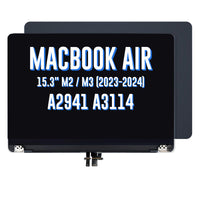
Watch the install video- Complete display assembly (whole lid) for the MacBook Air 15" A2941 and A3114, with the LCD screen, camera, hinges, lid-angle sensor and display cables already fitted
- Fixes a cracked, black, flickering, lined or bleeding screen, a damaged display cable or a bent lid
- Compatible with MacBook Air 15" A2941 (M2 2023, EMC 8301) and A3114 (M3 2024, EMC 8612)
Things you may need for this repair


Things you may need for this repair


Product Details
Cracked screen, black display, lines or flickering on your MacBook Air 15"? Replace the damaged LCD on your A2941 (M2) or A3114 (M3) with this complete display assembly.
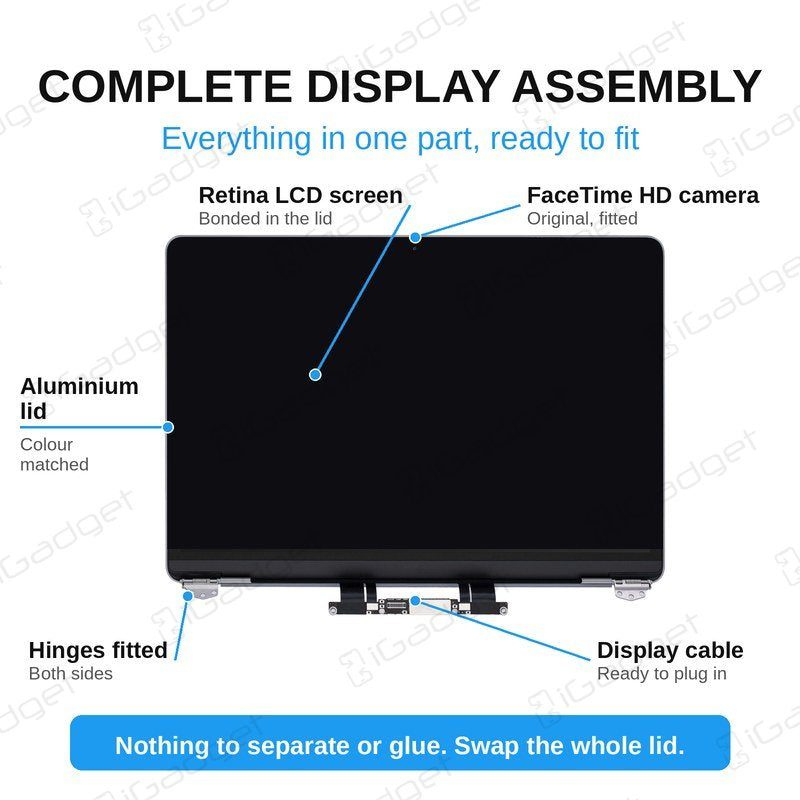
It is a 15.3" 2880 x 1864 LCD screen, supplied as a complete lid with the camera, hinges, lid-angle sensor and display cables already fitted. The display is held in with screws at the hinges, so there is no glass or panel to separate.
Part Includes:
- 2880 x 1864 15.3" LCD Screen
- Aluminium lid (back housing) and bezel
- Hinges
- Front Camera
- Camera connection cable
- LCD display cable
- Lid-angle sensor
- 12 Month Warranty
Please Note
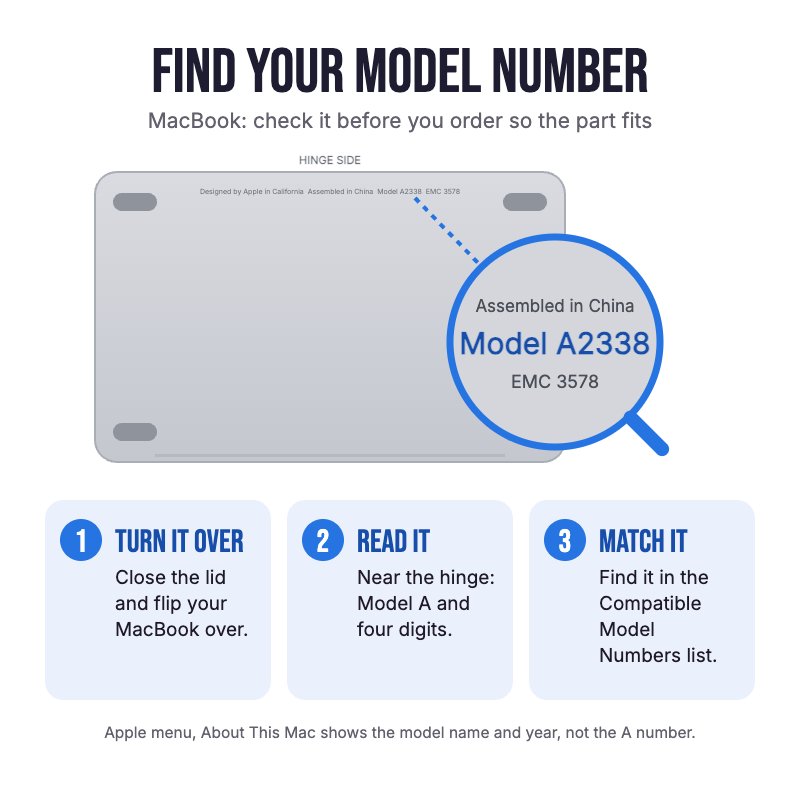
Does NOT fit any 13" MacBook Air. Not confirmed to fit the M4 A3241 or M5 A3448. Check the A-number on the bottom case for your model.
Please Note
Same part for the M2 (2023) and M3 (2024) 15" MacBook Air. This listing is the Midnight colour.
Please Note
Not an official Apple part. The screen supports True Tone, but Apple switches it off after a screen is replaced. Manual and auto-brightness work as normal.
Specifications
- Part Type: Complete Display Assembly (Lid)
- Colour: Midnight
- Screen Size: 15.3"
- Screen Type: LCD
- Resolution: 2880 x 1864
- Pixel Density: 224 ppi
- LCD Panel: OEM LCD panel, assembled at the panel maker's factory
- Lid: OEM aluminium lid with original hinges
- Camera: Original FaceTime HD camera
- Backlight and reflective sheets: High-brightness compatible parts
- Springs, metal strip and rubber seal: Original
- Adhesive: Strong 3M compatible adhesive
- True Tone: Supported by the screen, but Apple turns it off after a screen replacement
- Connections: LCD and front camera
- Warranty: 12 Months
Compatible Model Numbers
 MacBook Air 15" M3 2024
Model Number (A Number)
- A3114
EMC Number
- EMC 8612
 MacBook Air 15" M3 2024 How do I find my Model number?
Model Identifier
- Mac15,13
Device Number (M Number)
- MRYM3
- MRYN3
- MRYP3
- MRYQ3
- MRYR3
- MRYT3
- MRYU3
- MRYV3
- MXD13
- MXD23
- MXD33
- MXD43
- MC9D4
- MC9E4
- MC9F4
- MC9G4
- MC9H4
- MC9J4
- MC9K4
- MC9L4
 MacBook Air 15" M2 2023
Model Number (A Number)
- A2941
EMC Number
- EMC 8301
MacBook Air 15" M2 2023 How do I find my Model number?
Model Identifier
- Mac14,15
Device Number (M Number)
- MQKP3
- MQKQ3
- MQKR3
- MQKT3
- MQKU3
- MQKV3
- MQKW3
- MQKX3
Installation Help

Check out the video above or the step by step guide below for assistance with this repair
iFixit MacBook Air 15" A2941 2023 Screen Replacement Guide
iFixit MacBook Air 15" A3114 2024 Screen Replacement Guide

Here are some tools you may need to help you complete the repair.
- P5 Metal Pentalobe 1.2mm Screwdriver Tool
- T3 Metal Torx Screwdriver Tool
- T4 Metal Torx Screwdriver Tool
- T8 Torx Security Screwdriver Tool
- Or get the P5, T3 and T8 together in our 10 Piece MacBook Repair Toolkit
- Large Blue Suction Cup Opening Tool
- iGadget Plastic Triangle Opening Picks (set of 5)
- Nylon Antistatic Spudger Pry Tool
- Mechanic AK-15 King ESD Anti-Static Stainless Steel Red Curved Tweezers
- iGadget Universal Magnetic Work Project Mat with Marker (30cm x 25cm)

Here are some helpful tips to assist you in completing a safe repair on your device. If you are unsure of something or have any questions, please feel free to contact us either by phone (0508 IGADGET) or by email
- Drain the battery below 25% before you start on this repair
- Turn off Auto Boot first so the MacBook does not power on mid-repair (iFixit guide). On macOS Sequoia 15 or later, enter sudo nvram BootPreference=%00 in Terminal, and sudo nvram -d BootPreference to undo it afterwards (Apple guide). On older macOS, keep the lid closed while you work. Then power down
- Always track your screws to avoid putting them back in the wrong place and damaging your device. Draw a picture of your laptop and tape the screws to the right places, or use a magnetic work mat
- Apple uses Torx Plus screws inside (3IP, 4IP and 8IP). Our same-size T3, T4 and T8 drivers turn them, but they sit with a little play, so press down firmly and turn gently
- The bottom case is held by P5 screws, clips and sliding tabs along the back edge. Lift a front corner with the suction cup, release the clips with a pick, then pull the case away from the back edge to free the tabs
- Always unplug the battery before you remove any other parts. Keep metal tools away from the battery, and never bend, crush or puncture it.
- Lift the display cable connectors straight up with the spudger and unplug the lid-angle sensor on the left hinge. The new screen comes with its own lid-angle sensor fitted, so the old one stays with the old screen
- Lift small cables and covers with tweezers, and support the display at 90 degrees while you remove and refit the hinge screws
- Make sure you route the LCD and camera cables correctly so they don't get pinched by the hinge
- Test the screen, camera and Wi-Fi before you refit the bottom case, and leave the protective film and stickers on until the new screen is working properly.
What’s In The Box
- 1x A2941/A3114 MacBook Air 15" Complete Display Assembly 2023-2024 (Midnight)
Things you may need for this repair


