





iPad Pro 9.7" Screen Replacement | LCD and Digitiser Assembly
iPad Pro 9.7" Screen Replacement | LCD and Digitiser Assembly
 In Stock
Added to your cart
Finish the job properly
ⓘ Add-on savings can't be combined with discount codes.

 12 month warranty


iPad Pro 9.7" Screen Replacement | LCD and Digitiser Assembly
iPad Pro 9.7" Screen Replacement | LCD and Digitiser Assembly
In Stock
Added to your cart
Finish the job properly
ⓘ Add-on savings can't be combined with discount codes.
The glued screen comes off with heat. The battery is disconnected and your home button moves across.
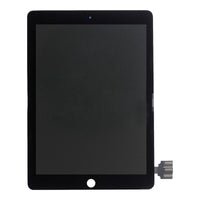
Watch the install video- Replacement 9.7-inch LCD and touch screen assembly for the iPad Pro 9.7", with the glass laminated to the display and Tesa adhesive pre-fitted
- Fixes cracked or smashed glass, touch not responding, dead spots, lines, a black screen or no picture
- Compatible with iPad Pro 9.7" (A1673, A1674, A1675)
Often bought with this part


Often bought with this part


Product Details
Cracked screen on your iPad Pro 9.7", touch not responding or no picture? On these iPads the glass, touch digitiser and display are one laminated assembly, so this complete screen is the part you need. It's a brand new aftermarket screen, not an official Apple part.
- COMPLETE SCREEN ASSEMBLY - Glass, touch digitiser and display laminated together, ready to fit, so there's no separating layers.
- SHARP 9.7-INCH PICTURE - 2048 x 1536 resolution at 264 ppi, the same as the display your iPad came with.
- TESA TAPE PRE-FITTED - Tesa adhesive comes fitted round the edge, so there's no cutting and laying adhesive strips.
- SENT FROM NZ STOCK - Shipped from our New Zealand stock, so there's no waiting weeks for a part to arrive from overseas.
Part Includes:
- 9.7-inch LCD and touch screen assembly
- Pre-fitted Tesa adhesive
- 12 Month Warranty
Please Note
Fits only the iPad Pro 9.7" (2016). It does not fit the iPad Air 2, iPad 5 or iPad 6, which use different screens. Check the A number on the back of your iPad.
Please Note
On the iPad Pro the glass, touch digitiser and display are laminated together as one part, so a cracked screen is fixed by replacing the whole assembly. Glass on its own can't be separated and refitted at home.
Please Note
Home button not included. Move your own across to keep Touch ID, as a replacement home button can't use it.
Specifications
- Display Size: 9.7-inch (diagonal)
- Resolution: 2048 x 1536 pixels (264 ppi)
- Display Type: LCD
- Refresh Rate: 60Hz
- Type: LCD and touch digitiser assembly, glass laminated
- Adhesive: Tesa tape pre-fitted
- Home Button: Not included, your original moves across
- Colour: Black
- Condition: Brand new aftermarket
- Pairing: Not needed. This iPad doesn't check its screen, so no Unknown Part message.
- Warranty: 12 Months
Compatible Model Numbers
 iPad Pro 9.7" WiFi
Model Number (A Number)
- A1673
 iPad Pro 9.7" WiFi Model NumbersHow do I find my Model number?
Model Identifier
- iPad6,3
EMC Number
- EMC 2976
Device Number (M Number)
- MLMN2
- MLMP2
- MLMQ2
- MLMV2
- MLMW2
- MLMX2
- MLMY2
- MLN02
- MLN12
- MM172
- MM192
- MM1A2
 iPad Pro 9.7" WiFi + Cellular
Model Number (A Number)
- A1674
- A1675
iPad Pro 9.7" WiFi + Cellular Model NumbersHow do I find my Model number?
Model Identifier
- iPad6,4
EMC Number
- EMC 2977
Device Number (M Number)
- MLPW2
- MLPX2
- MLPY2
- MLQ32
- MLQ42
- MLQ52
- MLQ62
- MLQ72
- MLQ82
- MLYJ2
- MLYL2
- MLYM2
Installation Help

Check out the video above or the step by step guide below for assistance with this repair
iFixit iPad Pro 9.7" Screen Replacement Guide

Here are some tools you may need to help you complete the repair.
Please note: A discounted simple toolset with the tools you need is available in a pop-up when you add this product to cart
- #00 Metal Phillips 2.0mm Screwdriver Tool (PH00)
- uFix iOpener Microwaveable Heated Bag Opening Tool
- CPB 320 Repair Heat Pad for mobile phones and tablets
- Large Blue Suction Cup Opening Tool
- iGadget Plastic Triangle Opening Picks (set of 5)
- 5x iGadget Plastic Flexible Opening Cards
- Nylon Antistatic Spudger Pry Tool
- Mechanic AK-15 King ESD Anti-Static Stainless Steel Red Curved Tweezers
- iGadget Plastic Alcohol 200mL Bottle with Pump Top
- B7000 Multipurpose Liquid Repair Glue - 15ml
- iGadget Universal Magnetic Work Project Mat with Marker (30cm x 25cm)

Here are some helpful tips to assist you in completing a safe repair on your device. If you are unsure of something or have any questions, please feel free to contact us either by phone (0508 IGADGET) or by email
- Drain the battery below 25% before you start on this repair
- Power the iPad off before you start, and tape over cracked glass so it lifts in one piece.
- Warm the edges with the iOpener or heat pad in short passes, as too much heat can damage the battery.
- Keep opening picks shallow, as the display cables, sensors and antennas sit just inside the edge.
- Disconnect the battery once the screen is open by slipping a plastic card under the battery contacts. Keep metal tools away from the battery, and never bend, crush or puncture it.
- Always track your screws on a magnetic mat, as they are different lengths.
- Refit press connectors by pressing one side then the other until they click, never the middle.
- Move your own home button across to keep Touch ID. Its cable is very thin, so go slowly, and glue the button to the new screen with B7000.
- Test touch, the picture, the home button, Touch ID and auto-brightness before you seal it, and leave the protective film on until the new screen works.
- Clean the old adhesive off the frame with isopropyl alcohol before you stick the screen down, and hold it while the adhesive sets.
What’s In The Box
- 1x iPad Pro 9.7" replacement LCD and digitiser assembly, Tesa adhesive pre-fitted
Often bought with this part


